

Server list
Adding a server and suggesting updates
Submit a server to the list, track the approval and suggest updates to listed servers.
Last updated: October 29, 2026
You do not need to own the server; you can suggest one you play on. Submissions appear on the list after an admin approves them.
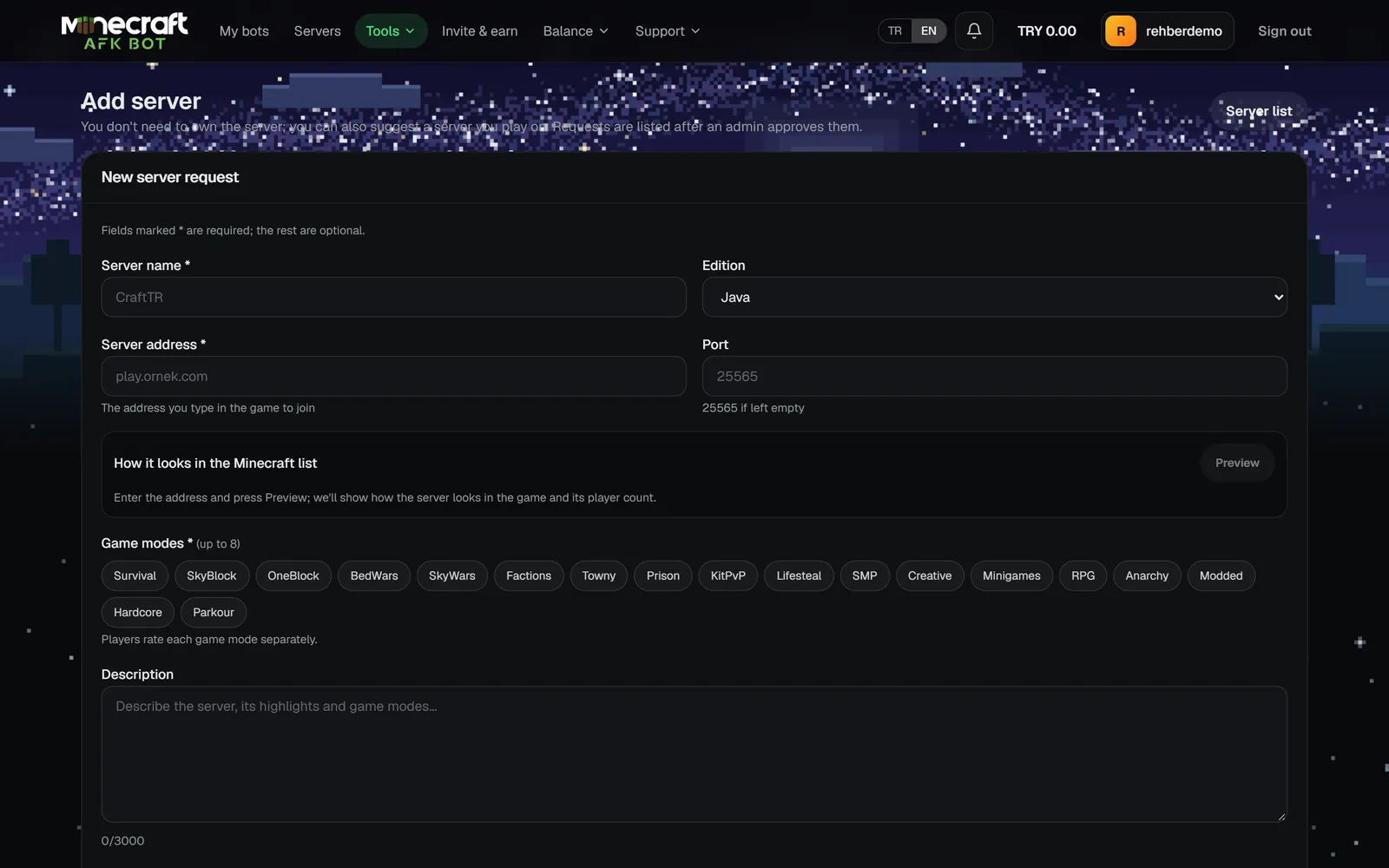
Submitting
- 1Open Tools → Add server in the panel.
- 2Enter the server name (2-48 characters), edition (Java or Bedrock), address and port.
- 3Pick 1-8 game modes; add a version label, description (up to 3000 characters), language, Discord/website/banner links and up to 8 tags.
- 4The server is pinged on submit; you can test that it is online beforehand.
My requests
- Track the status in My requests; rejected ones show the Staff note.
- Change a pending request with Edit or cancel it with Withdraw.
- An approved server cannot be deleted here; open a support ticket.
Suggesting an update
If a listed server's details are wrong, send the change and a reason with suggest an update on its page. Suggestions are applied after an admin review (up to 10 per hour, at most 5 pending).