

Managing bots
The live console
Chatting, sending server and bot commands, Tab completion, searching and downloading logs in the console.
Last updated: October 29, 2026
The console shows everything the bot sees, live: connection steps, server chat, kick reasons and the bot's own messages. It is in the Console tab of the bot's page.
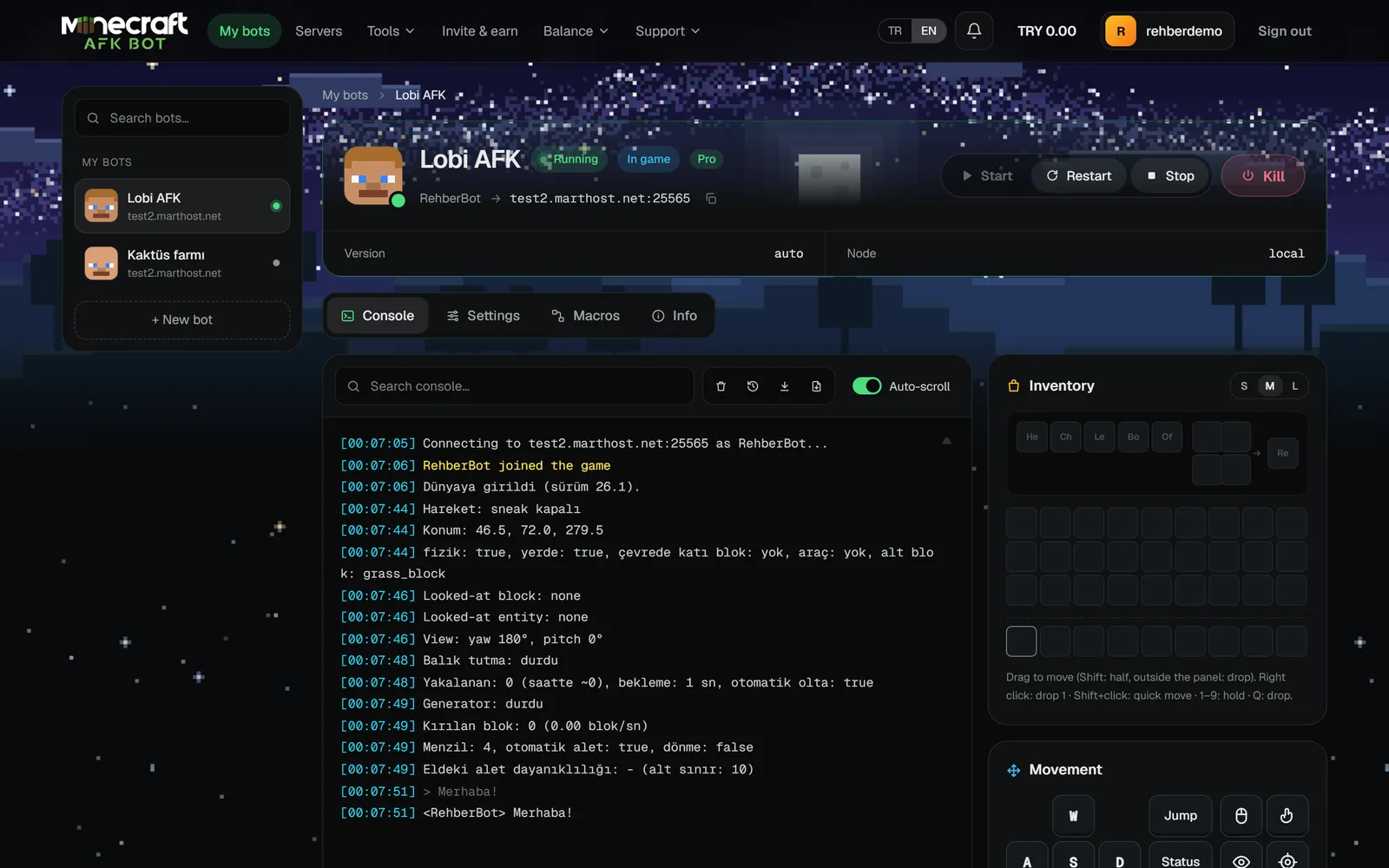
What can you type?
| You type | Result |
|---|---|
Plain text, e.g. Hello! | Sent to the server chat. |
Starting with /, e.g. /spawn | Sent as a server command. |
Starting with ., e.g. .fish start | A bot command; it never reaches the server. See Console commands. |
A command can be up to 256 characters. The Tab key completes both server and bot commands.
Console tools
- Search console: finds a word in the log.
- Clear: clears the log on screen (the stored log is not deleted).
- Download: saves the log as a file, with or without colors.
- Auto-scroll: jumps to the bottom when new lines arrive.
Chat display
The "Show server messages in the console" option in the Connection section of the settings can be Readable (colored text) or Raw (JSON). Raw shows the message exactly as the server sent it; useful when troubleshooting.