

Account and support
Support tickets
Open a support ticket, attach files and follow replies; ticket statuses, auto-closing and rating.
Last updated: October 29, 2026
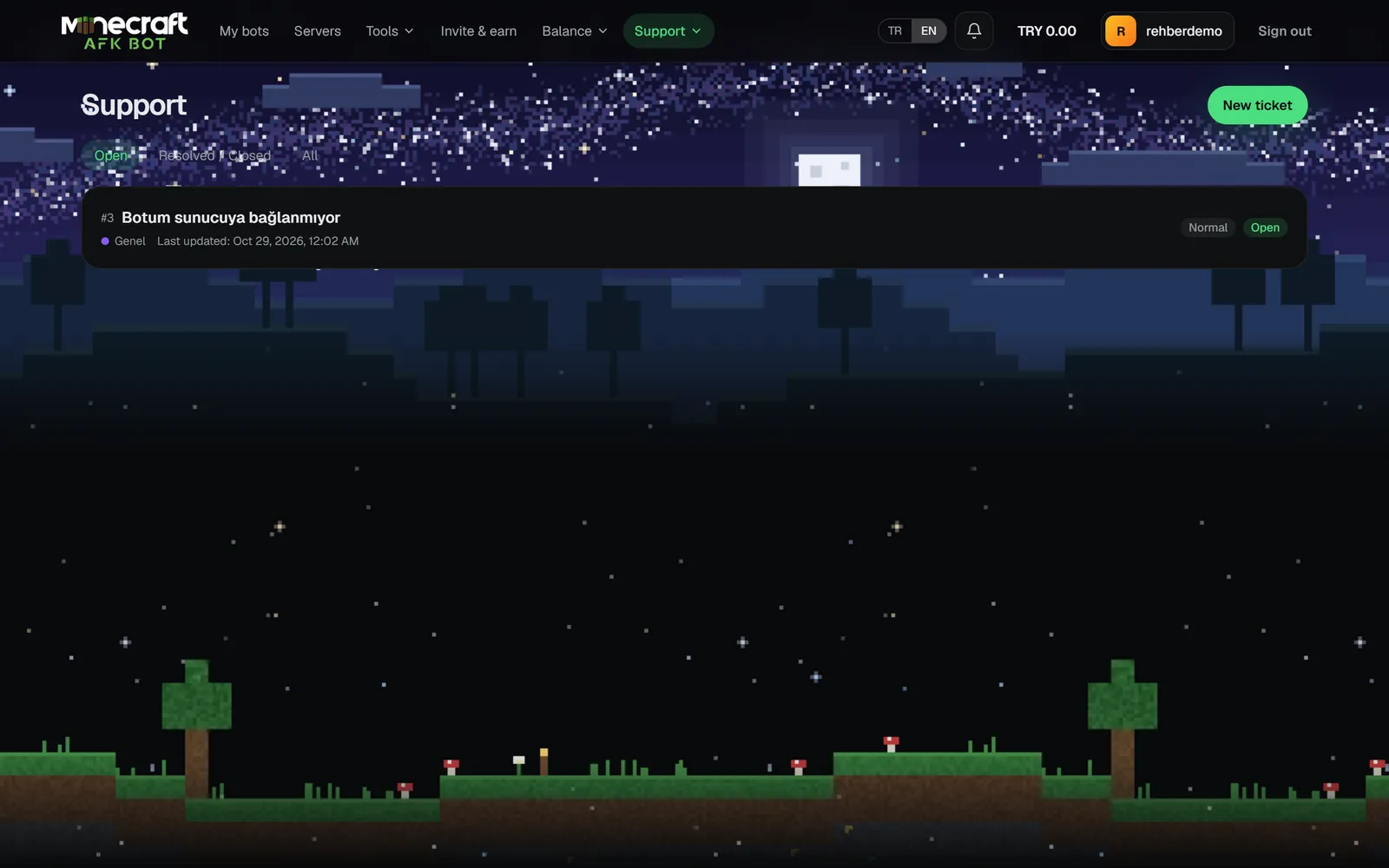
Opening a ticket
- 1Create a new ticket on Support → Support tickets.
- 2Choose a subject (3-140 characters), category and priority; pick the bot if it is about one.
- 3Describe the problem (up to 8000 characters). Attach screenshots or logs: up to 5 files, 5 MB each (png, jpg, webp, pdf, txt, log).
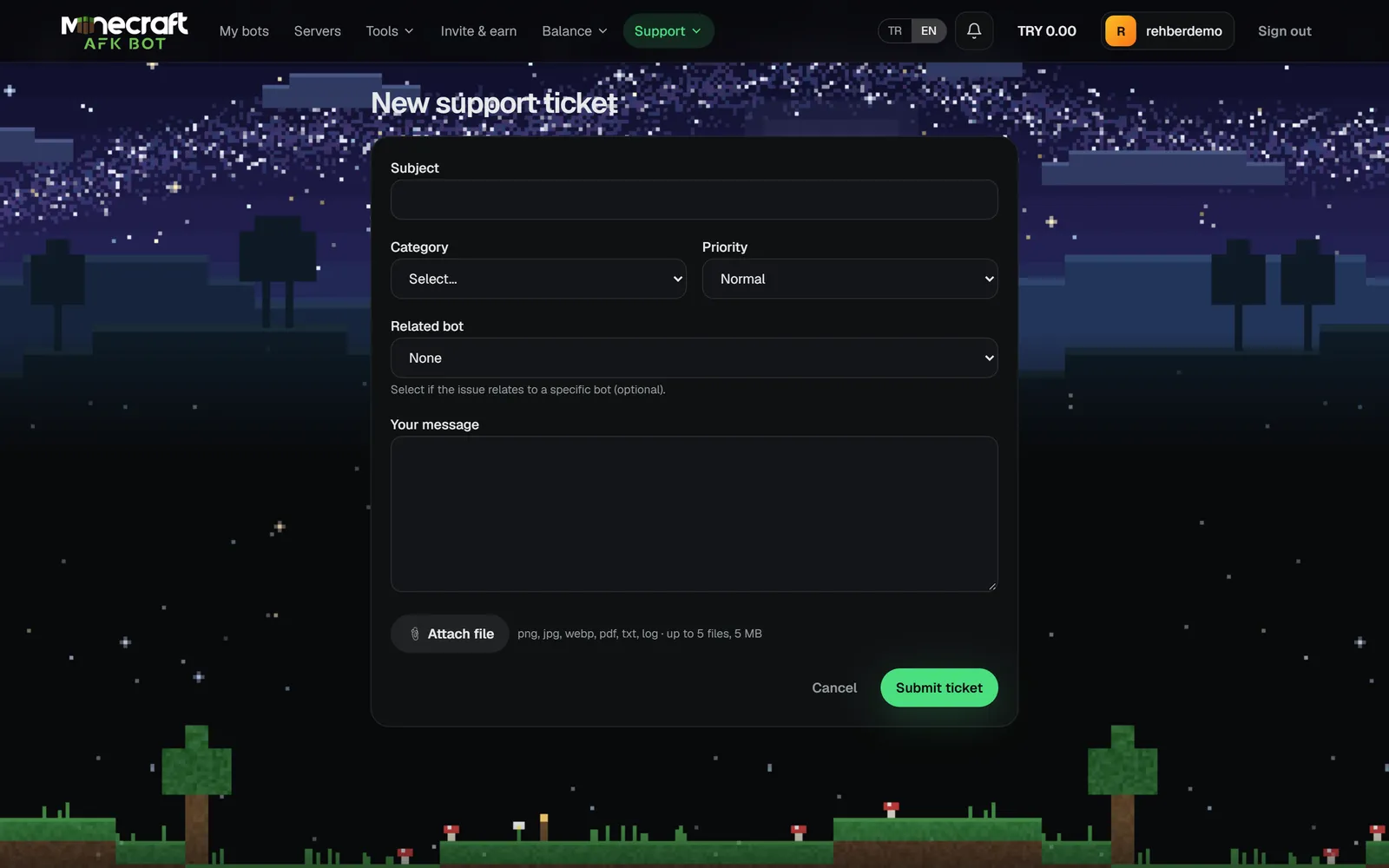
Categories: General, Bot problem, Plan / Billing, Account, Bug report, Feature request. Priorities: Low, Normal, High, Urgent.
Ticket statuses
| Status | Meaning |
|---|---|
| Open | New ticket waiting for a reply. |
| In progress | The team is working on it. |
| Waiting for your reply | Waiting for information from you. |
| On hold | Temporarily on hold. |
| Resolved | Solved; you can reopen it if needed. |
| Off | Closed; no more replies. |
- You can have at most 5 open tickets at once.
- Tickets in Resolved or Waiting for your reply close automatically after 5 days without activity.
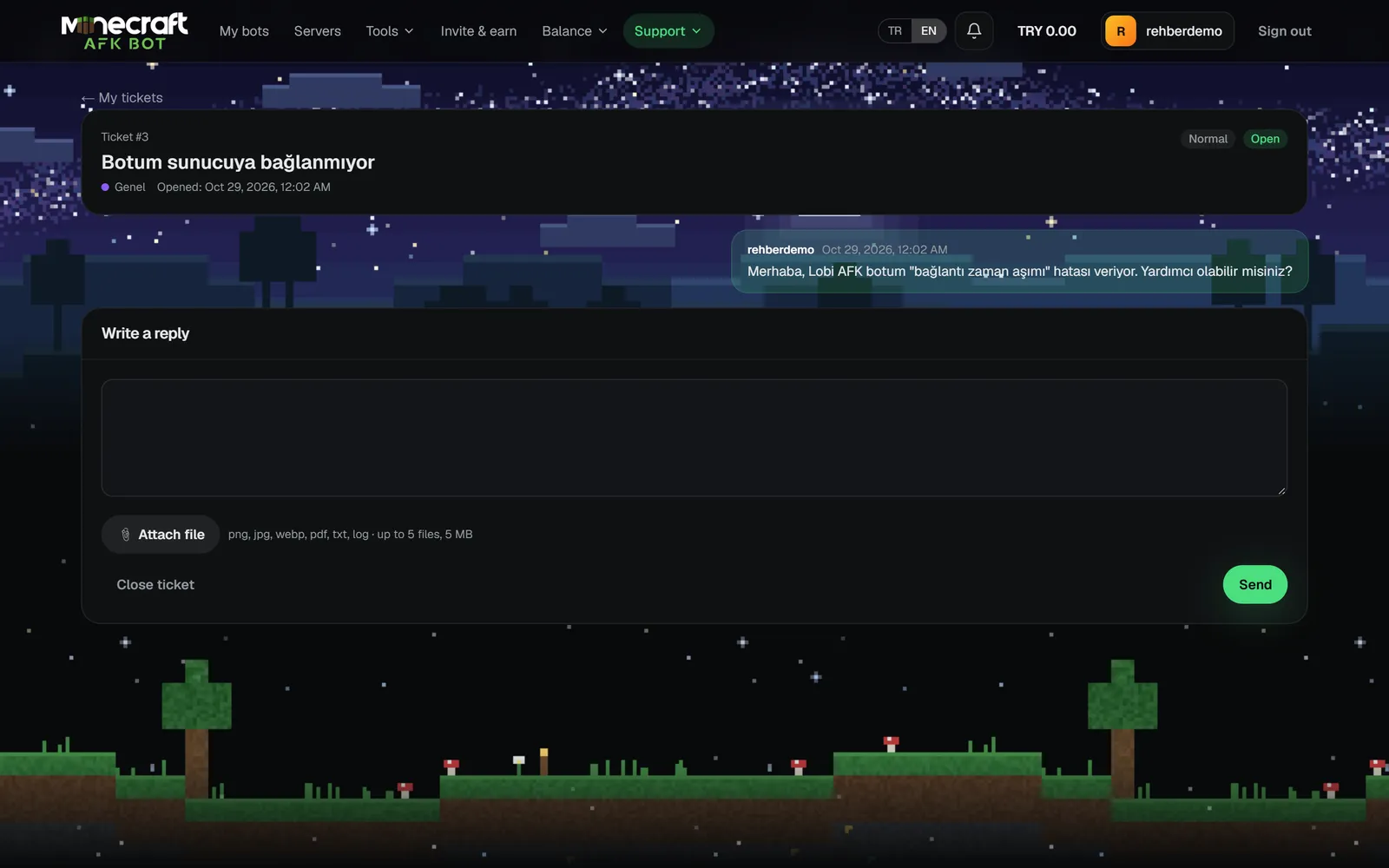
- When a reply arrives you see it under the bell icon; you also get an email and (if linked) a Discord DM.
- You can rate a resolved or closed ticket once, 1-5 stars.