

Macros
What are macros? Creating and assigning them
A macro is a flow of steps started by an event or by hand. Creating macros, assigning them to bots and running them from the console.
Last updated: October 29, 2026
A macro is a flow that lines up what the bot should do: one trigger followed by steps that run in order. For example "on join → wait 3 seconds → type /login password".
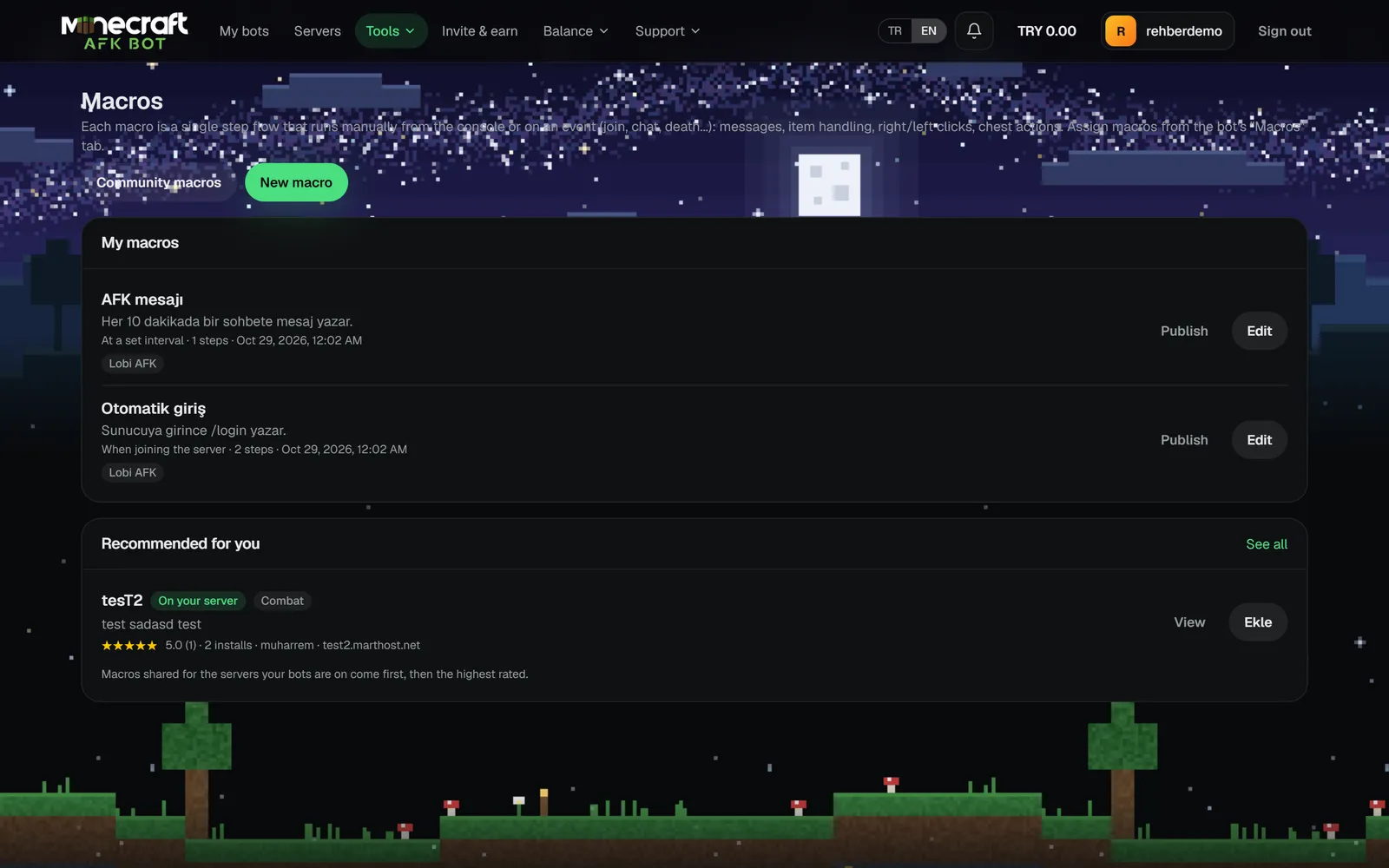
Creating a macro
- 1Open Tools → Macros from the top menu and click New macro.
- 2Enter a name and description. Keep Show in the bot's console ticked to run it from the console.
- 3In Macro steps, start from a template or create an empty macro.
- 4Pick the trigger, add steps with Add step and save.
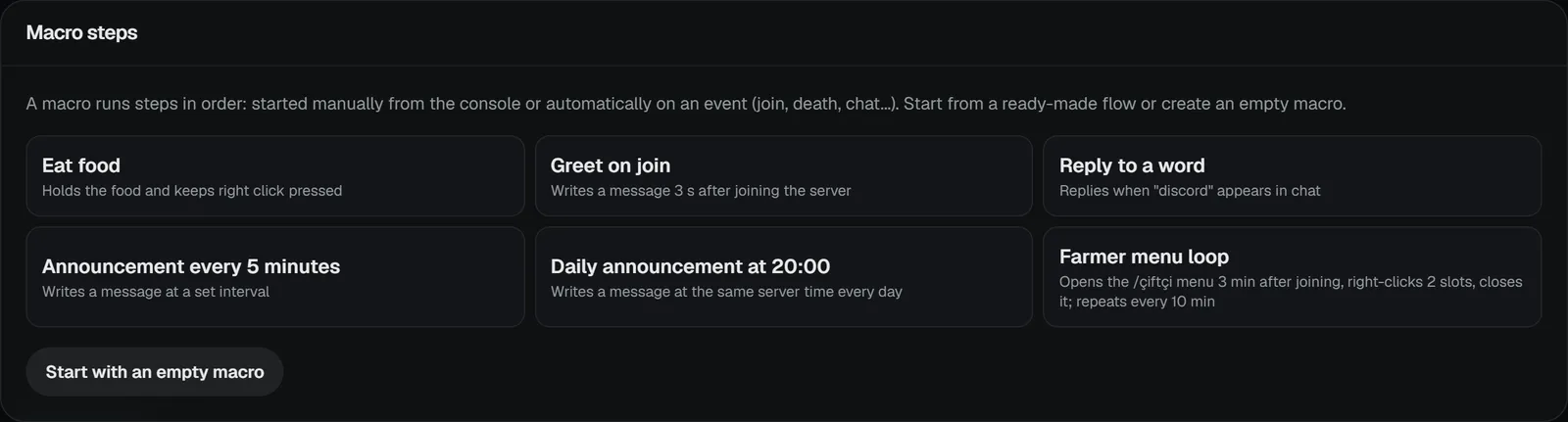
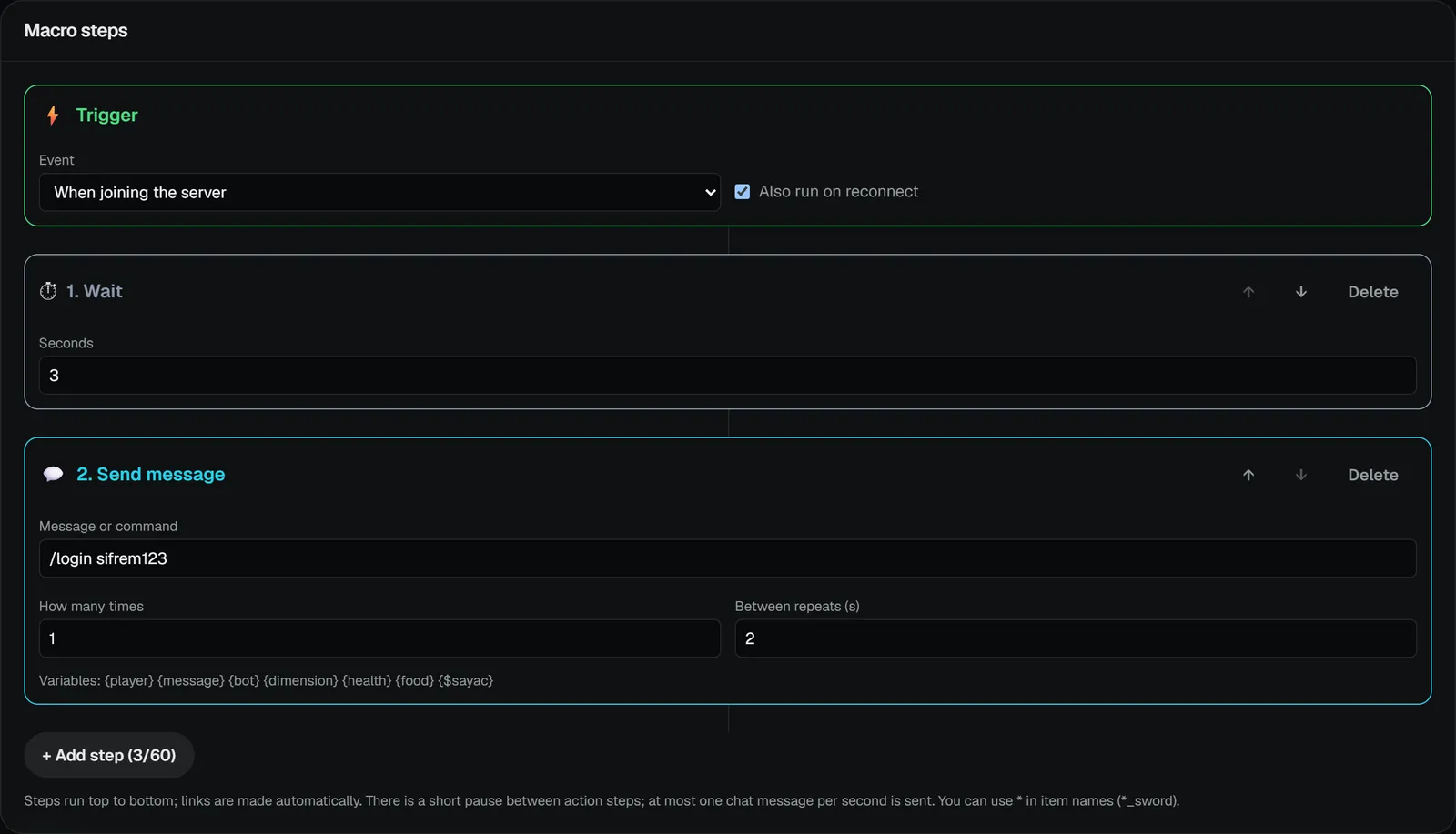
Steps run top to bottom; reorder them with the arrows and remove them with Delete. Details: Triggers, Steps.
Assigning a macro to a bot
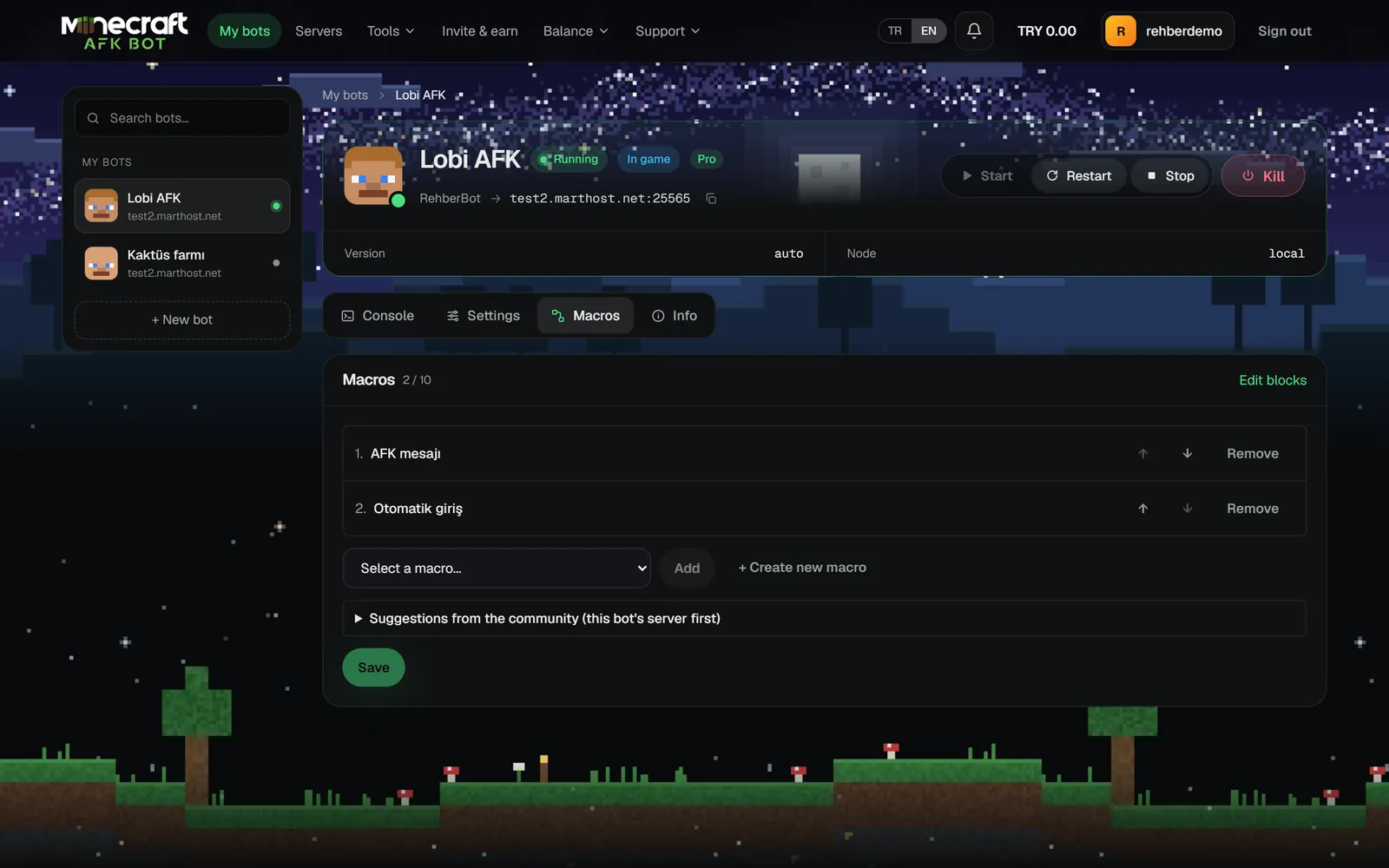
- 1Open the Macros tab on the bot's page.
- 2Pick the macro from Choose a macro, click Add, then Save.
- 3Event-triggered macros run by themselves while the bot runs. Start manual ones with ▶ on the macro row under the console's message box.
- 4If the bot is running, macros you assign or edit apply right away without a restart; When joining the server triggers run on the next join.
Limits
- Up to 50 macros per account.
- How many macros a bot can have depends on its plan (shown as
0 / 10in the tab). - Up to 60 steps per macro; at most 100 steps run in one go.
- At most one chat message per second is sent, with a short pause after action steps. This keeps the bot from being kicked for spam.