

Managing bots
Inventory and container windows
Manage the bot's inventory from the console: moving, dropping and holding items, 2x2 crafting, and open chest/menu windows.
Last updated: October 29, 2026
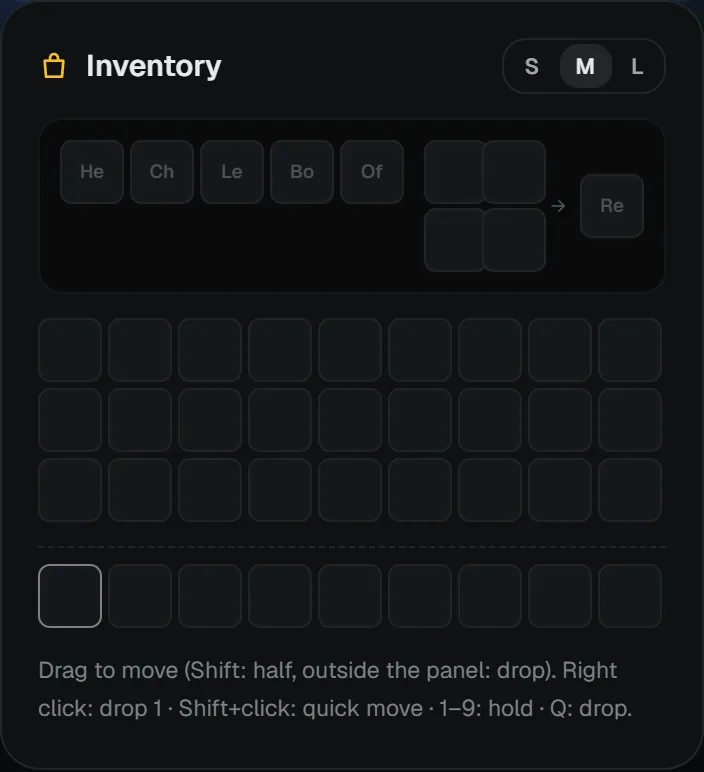
While the bot is in game, the Inventory tab in the right column of the console shows its inventory live. The top row holds the armor slots, the 2x2 crafting grid and its result slot; below are the inventory and hotbar.
Mouse and keyboard
| Action | Result |
|---|---|
| Drag and drop | Moves the item to another slot. |
| Shift + drag | Moves half the stack. |
| Drop outside the panel | Drops the item. |
| Right click | Drops one. |
| Shift + click | Quick-moves it (inventory ↔ hotbar). |
| 1-9 | Puts the item into that hotbar slot / holds it. |
| Q | Drops the item. |
The S / M / L buttons at the top right change the slot size.
Chest and menu windows
When the bot opens a chest, furnace or a server menu (GUI), the window appears as a separate card in the console. You can click slots, pick option 1-3 at an enchanting table and close the window. To use server menus automatically, see the Click slot and Chest action macro steps.